
AI meeting notetaker
Be in the conversation,not in your notes.
NoteFlow records, transcribes, and summarizes every meeting — the recap, action items, and answers are ready the moment you hang up.
Records on Meet, Zoom & TeamsRecap ready the moment you hang upUnlimited meetings on the free plan
Capture once, use it four ways.
The same recording becomes a transcript, a recap, and answers.

NoteFlowFileEditViewMeetingWindowHelp
Fri Sep 26 9:41 AM
Paste a meeting link…Send notetaker
Status
joining·recording·ready
Weekly product planning — recorded. Transcript and recap are ready.
On Google Meet, Zoom, or Teams the extension shows a Record button, so there is no link to paste at all.
CaptureSend notetaker↵Actions⌘K
Send the notetaker. Paste a meeting link, or record in one click from the Chrome extension.
Whatever you need from a meeting, NoteFlow already caught it
One recording becomes the pieces you actually reuse. Pick when you’re reaching for it and see what’s waiting.




Built for the way you meet.
However the call happens, NoteFlow keeps the record.
Captured for you:
Action items
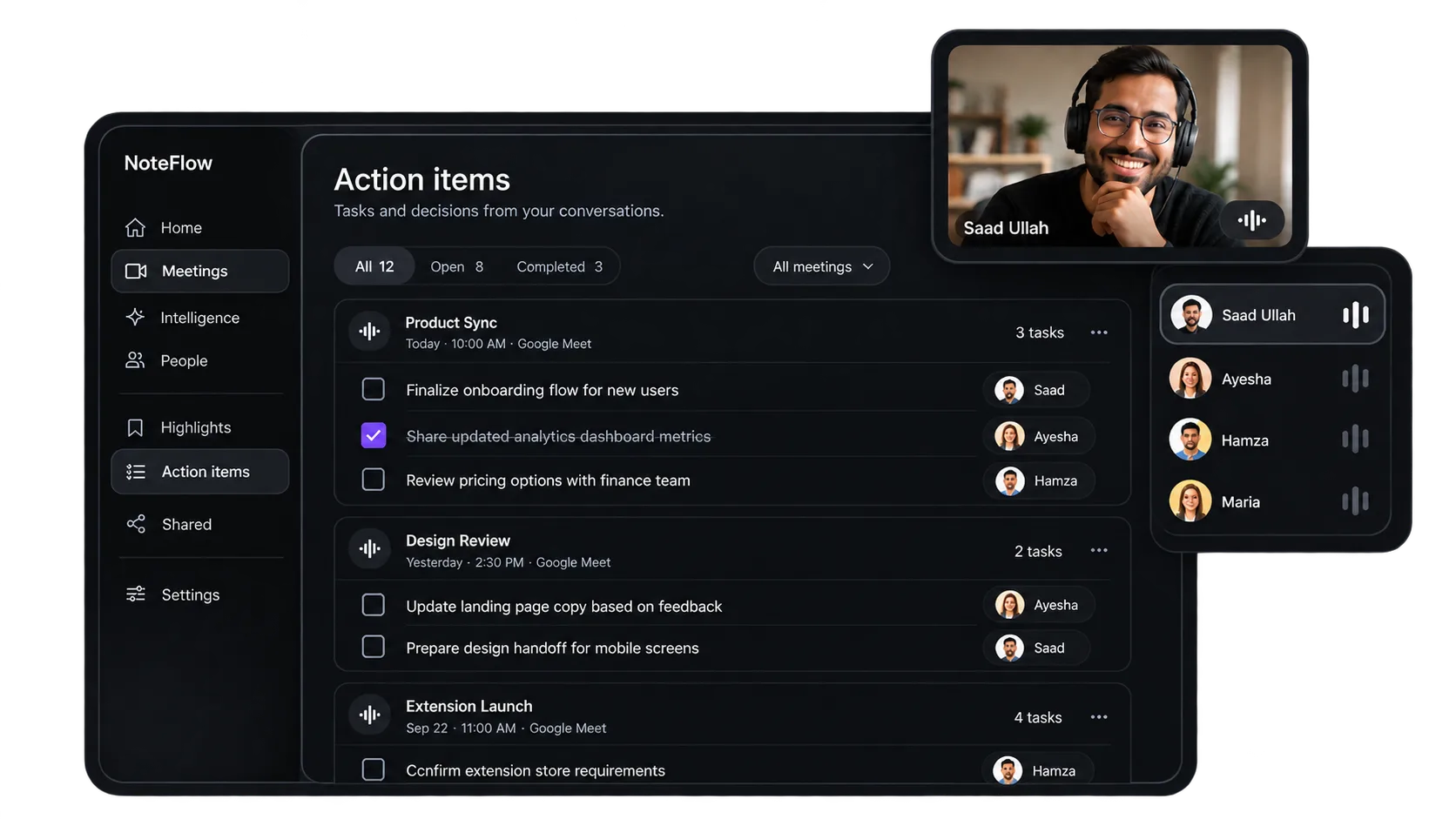
Who owns what, pulled out and assigned automatically.
Ask NoteFlow:
“What did we commit to Monday?”
Check last week's calls without watching them again.
Nobody has to re-explain the standup. The recap lands the moment the call ends.
One home for
every meeting.
Every call NoteFlow joins lands here transcribed, summarized, and ready to search. Ask about any meeting and the answer comes back with the exact moment it was said.
See a live recap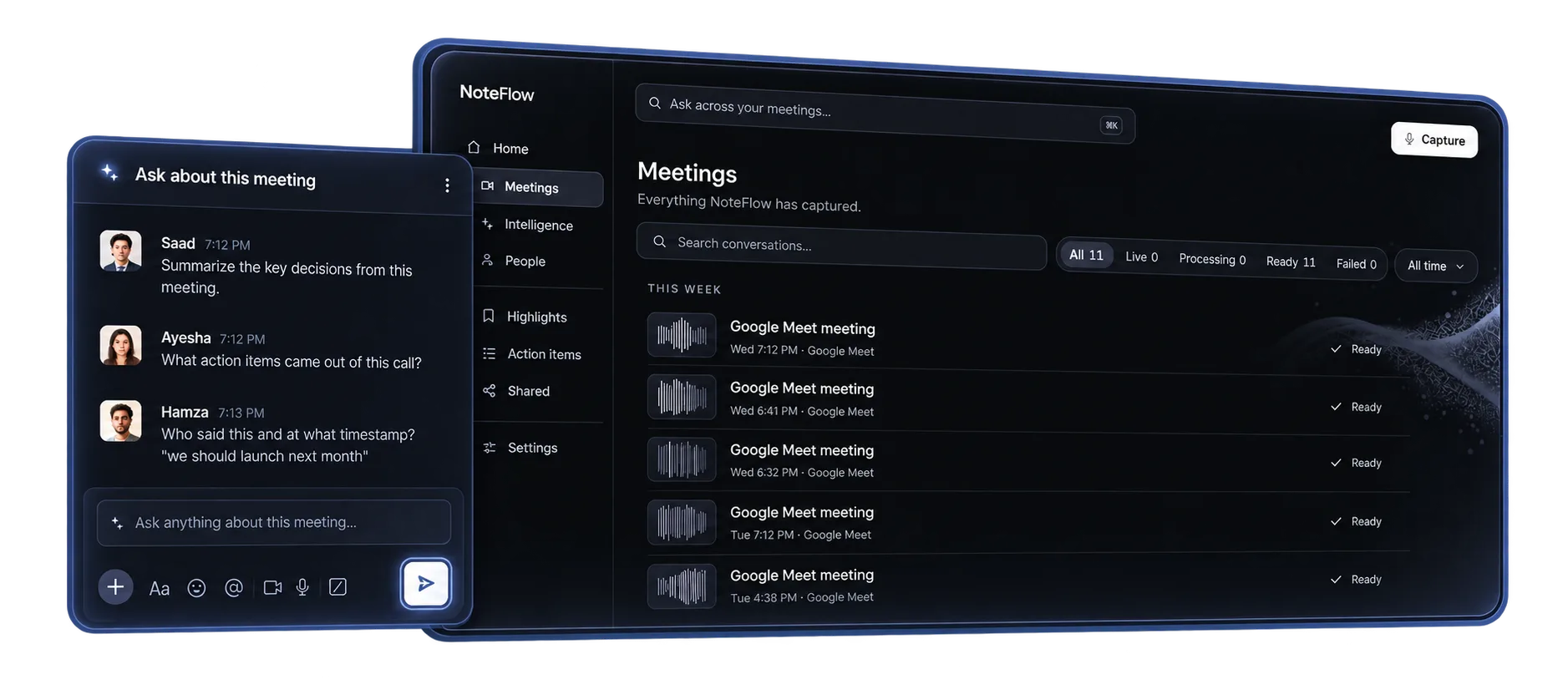
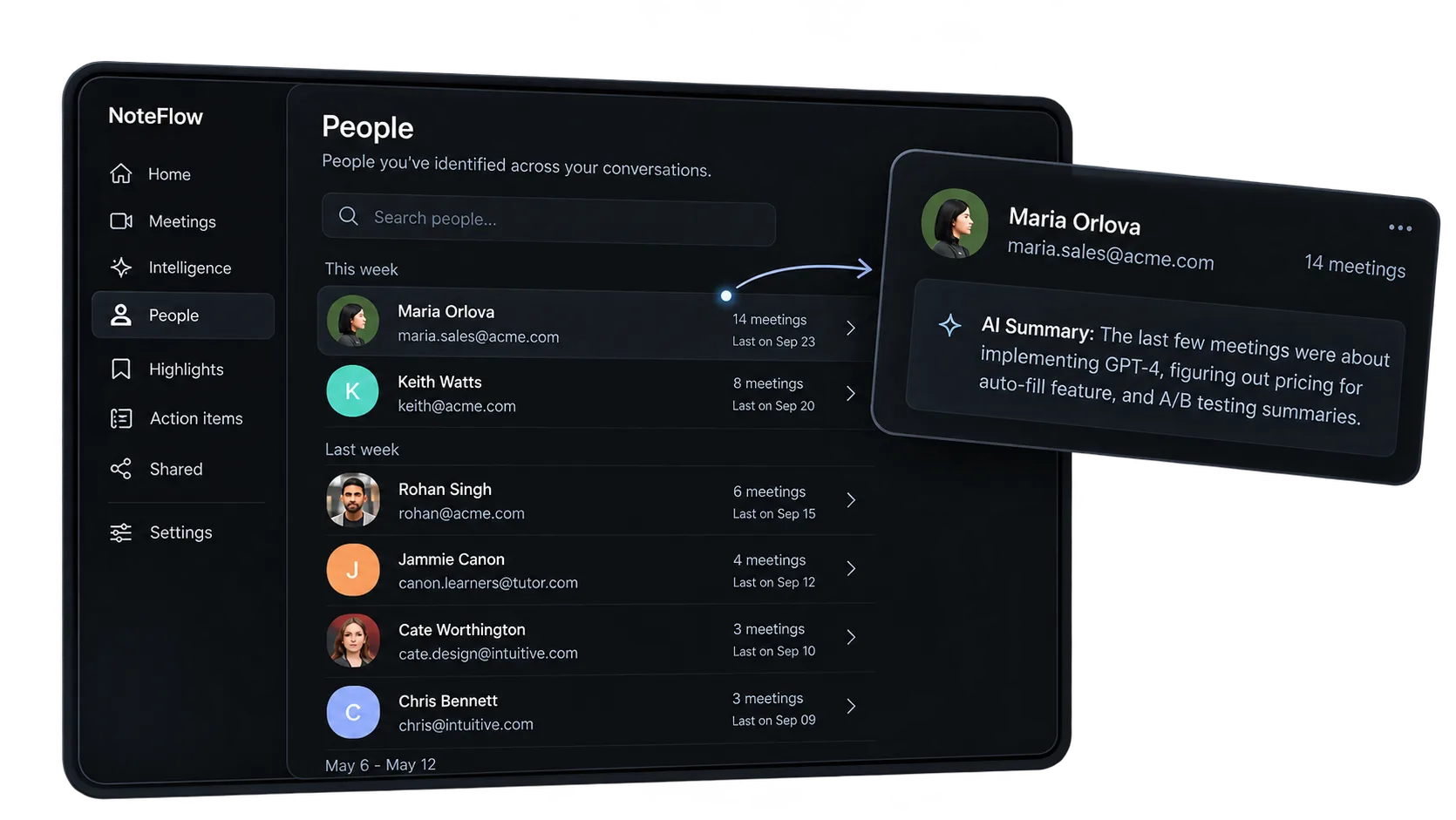
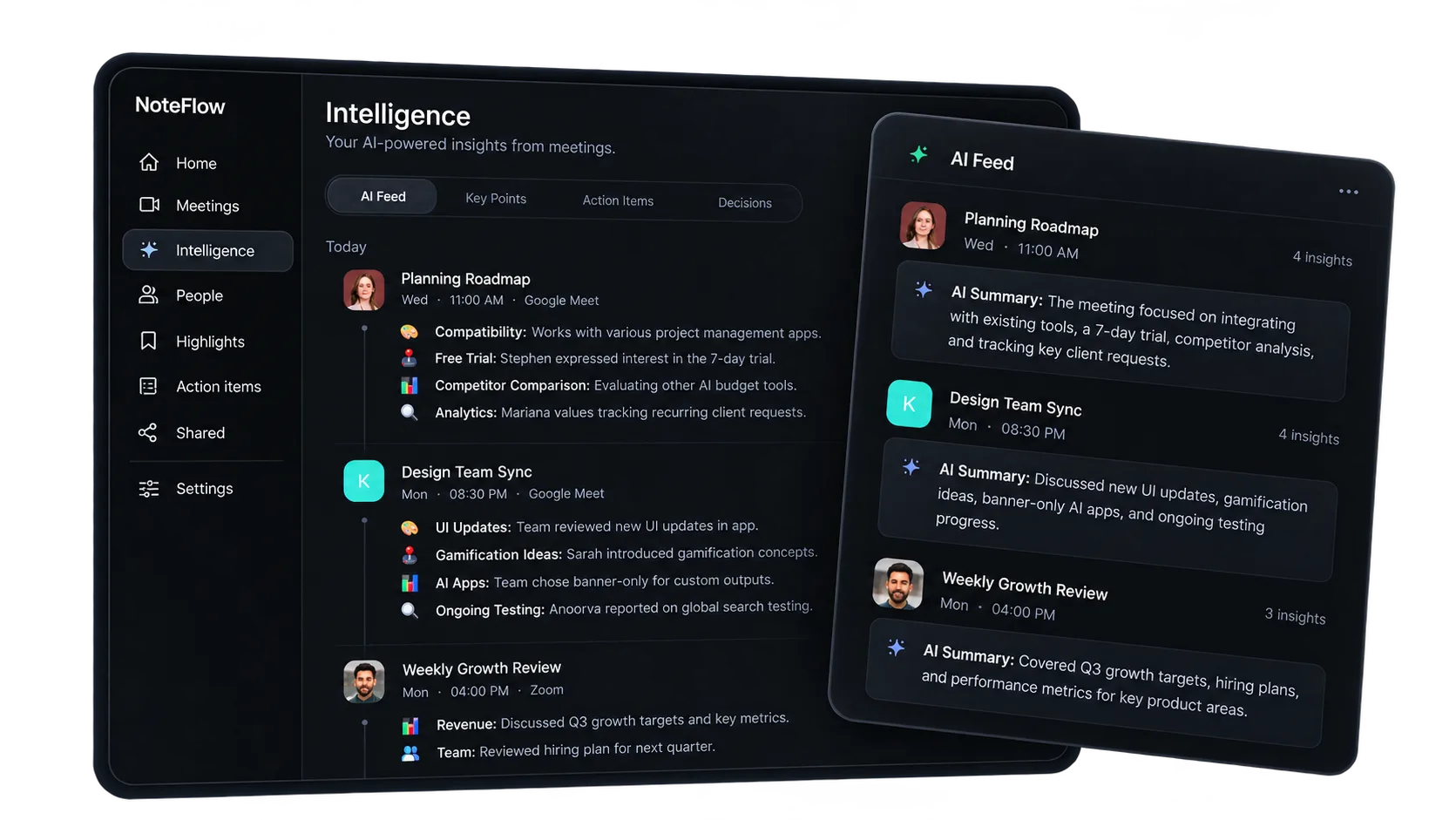
All your action items, people, & insights in one place.
See what happened across every conversation and what your team needs to do next.
Questions, answered.
Do the people on my call know it's being recorded?
Yes. When NoteFlow joins as a participant it shows a clear recording indicator. In bot-free mode it captures your side locally — and you stay responsible for consent, the same as any recording.
Which meeting tools does it work with?
Zoom, Google Meet, and Microsoft Teams today, with recaps flowing into Slack, Notion, and your CRM.
How much does NoteFlow cost?
The free plan records unlimited meetings and includes summaries, transcripts, and action items. Paid plans add longer history, team search, and admin controls.
What happens to my recordings?
They stay in your workspace, encrypted in transit and at rest. Delete any meeting completely at any time — and nothing is shared until you send a link.
Never miss what matters
Stop guessing. Ask NoteFlow.
Start today, for free.